

RVX + My Revolt App: Everything You Can Control from Your Phone
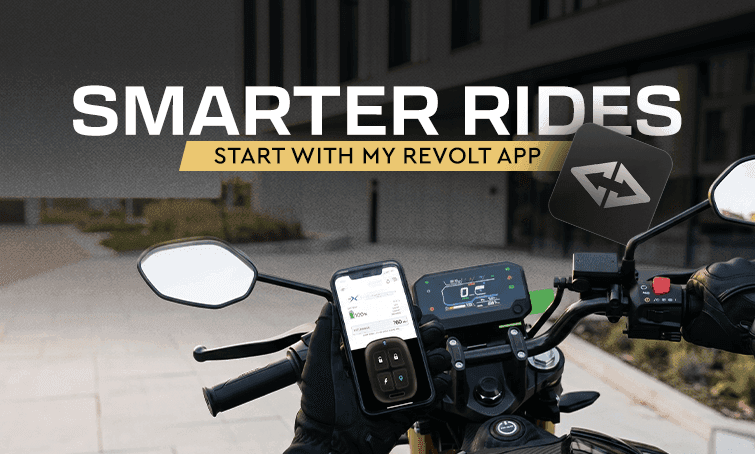
A few years ago, the idea of controlling a bike from your phone sounded like something out of a car advertisement, not a two-wheeler most people could actually afford. That has changed quickly. Today, a best electric bike in India is expected to come with an app that does far more than just show battery percentage, and the Revolt RVX is a clear example of how far this has come. The My Revolt app is built specifically to work with the Revolt RVX, and it genuinely changes how you interact with your bike before, during and after a ride. This article walks through what the app actually lets you do, and why this level of control matters for daily riders across Indian cities. Most petrol bikes still work the way they always have. You use a key, you check the fuel gauge, and that is about it. There is no way to check your bike remotely, no way to know if it has moved, and no way to fix a software issue without a visit to the service centre. A latest electric bike like the RVX flips this completely. Since the bike is built around a connected system from the start, nearly every function that used to require physically being near the bike can now be handled through the My Revolt app instead. This matters more than it might sound at first. Think about how often you have wondered whether you locked your bike properly or wanted to check it while you were away from home. The app removes that uncertainty entirely. For riders comparing a Revolt RVX against other options in the market, this connected ownership experience is quickly becoming one of the biggest differences between a modern electric bike and an older-style commuter model that just happens to run on a battery. It pairs closely with the RVX's built-in theft protection and Geo-Fencing. Here is a practical breakdown of what the My Revolt app lets you manage directly from your phone: Immobilization: You can remotely turn the bike on or off. If you are unsure whether you locked the ignition properly, you do not need to walk back to check. The app tells you, and lets you fix it instantly. Geo-Fencing: You can set a virtual boundary around your home, office, or any regular parking spot, and get an alert the moment the bike moves outside that zone. Vehicle Locator: A single tap flashes the headlight or blinker, which is genuinely useful when you are trying to spot your bike in a crowded parking area. Bluetooth Connectivity and Music Control: The app pairs with the bike's Bluetooth system, letting you manage calls and music without having to touch your phone while riding. Call and Message Alerts on the Cluster: Incoming calls and messages can show up directly on the bike's display, so you do not need to glance at your phone at a signal. OTA Software Updates: The RVX supports limited over-the-air updates, meaning some improvements to the bike's software can be pushed directly through the app rather than requiring a workshop visit. Taken together, this list makes the electric bike in India ownership experience feel closer to using a smartphone than operating a traditional two-wheeler. Among Revolt electric bikes, this level of app control is one of the clearest signs of how far connected features have come. For riders who are used to managing everything from their phone already, this feels like a natural extension rather than a gimmick. To understand how this actually plays out, consider a simple weekday. In the morning, you check the app before leaving home to confirm the bike is charged and ready. On your ride to work, calls and messages show up on the bike's cluster instead of forcing you to pull over and check your phone. Once parked outside the office, you set a Geo-Fence for the day, so if the bike moves without your permission, you know instantly. In the evening, if you cannot immediately spot your bike among several similar ones in the parking lot, a quick tap on the locator flashes the headlight, and you find it in seconds. None of these are big, dramatic features on their own. But together, they remove a lot of the small frictions that come with owning and riding a two-wheeler every single day. While convenience is a big part of the app's appeal, security is just as important, and often the bigger reason riders choose a connected electric bike. Along with Geo-Fencing and immobilization, the RVX also includes vehicle locator support and remote monitoring, all managed from the same app interface. This matters especially for riders who park their bike in shared parking, outside offices, or on the street overnight. Instead of depending purely on a physical lock, you get an active layer of monitoring that alerts you the moment something looks wrong, which is quickly becoming standard expectation from a best electric bike in India. Combined with the app's ease of use, this makes security feel like something you manage proactively, rather than something you only think about after an incident. A lot of first-time EV buyers come from a petrol bike background, where the idea of a connected app feels unfamiliar at first. The good news is that the My Revolt app is designed to be simple, not overwhelming. Setting up features like Geo-Fencing takes only a couple of minutes, and most day-to-day functions, like checking battery status or locking the bike remotely, are just one tap away. This simplicity is important because a connected feature is only useful if people actually use it. A complicated app that requires technical knowledge defeats the purpose. The RVX's approach keeps things straightforward enough that even a rider buying their first new electric bike can start using these features from day one without any confusion, which is exactly what you want from a best electric bike in India aimed at first-time EV owners. It is also worth pointing out that this app-based control is not limited to security and convenience alone. Riders can check things like remaining range and charging status before heading out, which helps with planning longer trips or simply deciding whether to charge overnight or wait until the next day. The app works alongside other connected features covered in our RVX tech stack tour, including voice activation and the colour dashboard. Beyond the individual features, there are a few broader benefits worth mentioning: Reduced dependency on service visits: OTA updates mean some software improvements happen automatically, without needing to take the bike to a workshop. Better peace of mind while travelling: If you leave your bike parked for a few days, you can check on it remotely instead of relying on someone else to keep an eye on it. Fewer small annoyances during rides: Managing calls and music through the bike's own display, rather than constantly reaching for your phone, makes daily commuting noticeably less distracting. Faster bike recovery in shared parking areas: The locator feature alone saves a surprising amount of time when you are searching for your bike among several similar-looking ones. For riders evaluating a Revolt RVX purely on convenience and daily usability, these small advantages add up over weeks and months of regular use, and they are a big part of why the RVX keeps getting mentioned as a best electric bike in India for connected riders. Confirm optional features with your dealer. GPS and telematics are listed as optional on the RVX, so check exactly what is included with your specific unit. Download and explore the app during your test ride. Ask the dealer to walk you through Geo-Fencing setup and the locator feature in person. Check your phone's notification settings. Alerts from the app are only useful if your phone actually displays them promptly. Ask about OTA update frequency. Since updates are limited, it helps to know what kind of improvements you can expect over time. Book a test ride and spend a few minutes going through the app menu before deciding, so you know exactly what you are getting.
Why a Connected App Matters for Modern Riders
What You Can Actually Control From the App
A Day in the Life With the App
Security Features Built Into the App
Why This Matters for First-Time EV Buyers
Ownership Benefits of App-Based Control
Buying Tips Before You Rely on App Features