

Revolt Geo-Fencing Explained: How to Set It Up and Practical Uses
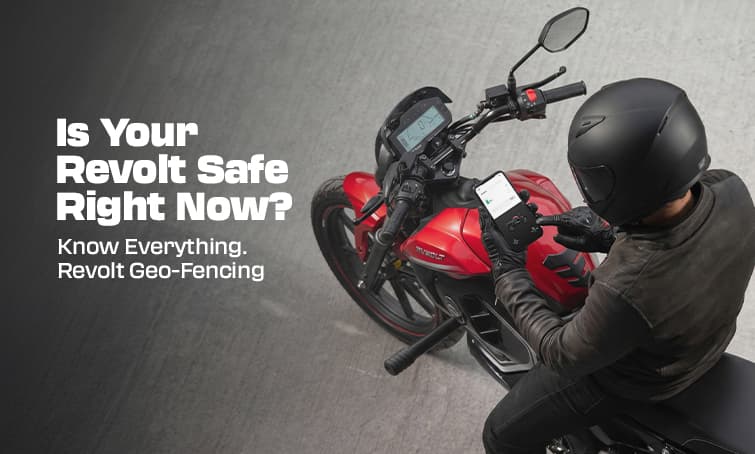
Most Revolt owners know geo-fencing exists. Very few have actually set it up.
It takes about two minutes. And once it is on, it quietly watches your bike every single day — even when you are not thinking about it.
Here is everything you need to know.
What Is Geo-Fencing?
Geo-fencing lets you draw an invisible boundary around your bike's parking spot. If the bike moves outside that boundary — for any reason, by anyone — your phone gets an instant alert.
That is it. Simple concept, genuinely useful in real life.
It works because the RV400, RV400 BRZ, and RV BlazeX all have an onboard 4G SIM card that keeps the bike connected to the internet at all times. The MyRevolt app uses this connection to monitor the bike's GPS location and send you a push notification the moment it crosses the line you have drawn.
Which models support geo-fencing? RV400, RV400 BRZ, RV BlazeX — yes (4G connected) RV1, RV1+ — no (Bluetooth only, no live GPS)
How to Set It Up — Step by Step
- Step 1: Open the MyRevolt app and make sure your bike is connected (green status dot on the home screen).
- Step 2: Tap on "Security" in the bottom navigation or main menu — the label may appear as "Geo-Fence" depending on your app version.
- Step 3: Tap "Set Geo-Fence" or "Create Zone." The map opens centred on your bike's current location.
- Step 4: You will see a circle on the map. Drag it to position it over your parking spot. Use the slider to adjust the radius — how far the bike can travel before the alert fires.
- Step 5: Tap Save. Done. The geo-fence is now active.
From this point, any movement outside your chosen boundary sends a push notification to your phone immediately.
Getting the Radius Right
This is where most people go wrong.
- Too small (under 50 metres): You will get false alerts. GPS accuracy shifts slightly over time — your parked bike can appear to "move" 20 to 30 metres on the map without actually going anywhere. A tiny geo-fence triggers fake alarms and you start ignoring them.
- Too large (over 500 metres): The alert fires too late. By the time your phone buzzes, the bike could already be several streets away.
- Sweet spot: 100 to 200 metres for home or office parking. This filters out GPS drift, catches real movement early, and gives you enough time to react.
5 Practical Situations Where This Actually Helps
- 1. Your bike is parked outside overnight 🌙 Set a geo-fence around your building. You sleep. The app watches. If the bike moves at 2 AM, your phone buzzes immediately — not in the morning when it is too late.
- 2. You lent the bike to a family member Set a geo-fence around the route or area they should stay in. If they go somewhere else, you know. No awkward calls needed — just a quiet heads-up on your phone.
- 3. Your bike is at the service centre Draw a geo-fence around the service centre premises. If the bike leaves before you authorise it — for a test ride you did not approve, or anything else — you get an alert.
- 4. Office parking in a busy area Crowded parking lots near malls, markets, or metro stations are higher-risk spots. A geo-fence means you do not need to keep walking back to check. One alert = one action.
- 5. Long-term parking (holidays, travel) Leaving the bike parked for a week while you travel? Geo-fencing gives you passive peace of mind the whole time. No need to ask anyone to keep an eye on it.
Geo-Fencing + Immobilisation = Full Security
Geo-fencing tells you when the bike has moved. But you can go one step further with the immobilisation feature in the same Security section of the app.
Immobilisation sends a command to the bike's ECU over 4G that disables the motor controller. Even if someone has access to the physical bike, it will not move under its own power until you toggle it off from the app.
The two features work best together:
Geo-fencing = early warning system
Immobilisation = physical barrier
Turn immobilisation on overnight or during long parking periods. If your geo-fence fires and you cannot get to the bike immediately, immobilisation means it is not going anywhere fast.
One Common Mistake to Avoid
Many owners set up the geo-fence once — and then forget to check that notifications are actually enabled on their phone.
Geo-fencing only works if your phone delivers the push notification when it arrives. Two things to check:
Notification permissions: Go to your phone settings → Apps → MyRevolt → Notifications → make sure they are turned ON.
Battery optimisation: On Xiaomi, Samsung (MIUI/OneUI), and some other Android phones, aggressive battery saving can block background app notifications. Go to battery settings and set MyRevolt to "No restrictions" or "Always allow."
If you are on an iPhone, make sure Background App Refresh is enabled for MyRevolt.
A quick test: set a very small geo-fence, push the bike slightly, and check if the alert arrives. If it does, you are set. Then redraw your real geo-fence at the correct radius.
The Bottom Line
Geo-fencing is one of the most useful features on your Revolt — and one of the least used. It takes two minutes to set up, runs silently in the background, and gives you an instant heads-up if anything happens to your bike.
Set it up today. Adjust the radius to 100 to 200 metres. Enable notifications. Then forget about it — until the day it matters.